
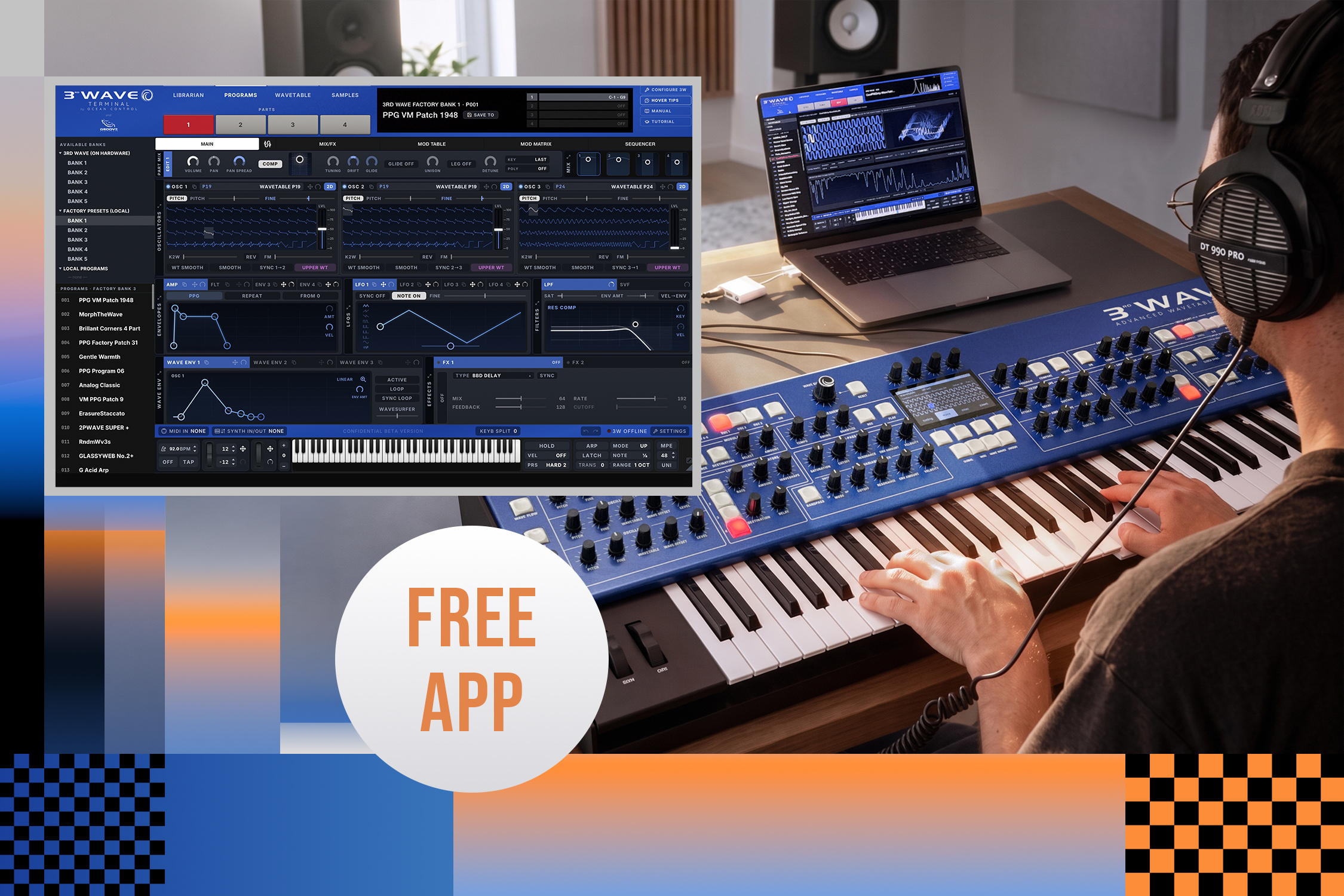
Introducing 3rd wave terminal, a Free Companion App for the 3rd Wave Synth Family
Created by Ocean Control, composer Pedro Macedo Camacho, and Groove Synthesis, the new desktop application for Mac and Windows lets owners organize their patch libraries, edit every parameter in expanded detail, and build wavetables and multisamples directly from audio files, including MP3s.
We are excited to release 3rd Wave Terminal, a free companion application for all 3rd Wave synthesizers. The desktop app gives owners a second way to work with their instrument: organizing and archiving patch libraries, editing sounds in expanded, menu-free detail, and building wavetables and multisamples directly from imported audio, including formats the hardware alone cannot use without conversion.
3rd Wave Terminal, our companion app for macOS and Windows, is available for every registered 3rd Wave owner at no cost. To download it, you’ll need to create an account on our website. You’ll also need to register your 3rd Wave synth. Once you’ve registered your synth, you’ll find 3rd Wave Terminal in the “Software Tools” section on our support page.
Important: 3rd Wave Terminal needs OS 2.0d or later. On earlier firmware, the app won’t recognize your 3rd Wave, so please update before connecting.
What it Enables
The 3rd Wave has always been and always will be a complete instrument on its own. The 24-voice versions provide close to knob-per-function access, and all versions have everything needed to play, perform, and shape a sound from scratch on the front panel. That doesn’t change with this release.
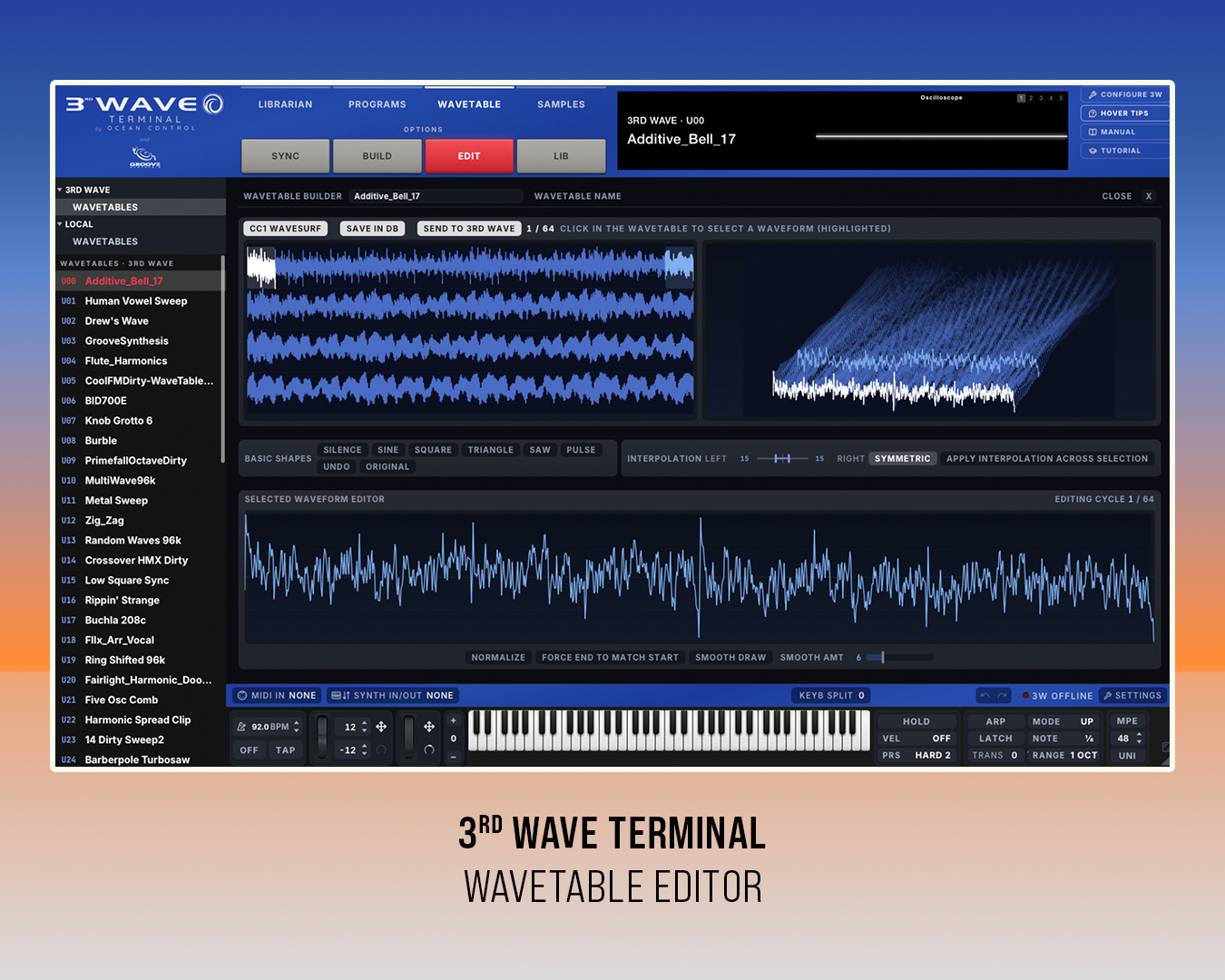
The 3rd Wave Terminal opens the door to a second way to work. It’s built for keyboardists, sound designers, and composers managing a growing sound, wavetable, or sample library, and who simply want to see more of a program at once than a hardware screen allows. You also have additional functionality with a sequencer editor, as well as a wavetable and sample editor.
Import samples straight from an mp3 or mp4 file? Absolutely. Visually edit your recorded sequences in a piano roll view? Sure thing! Make freehand drawings in your wavetables? You bet!

The Librarian
Organize your programs and build a library.
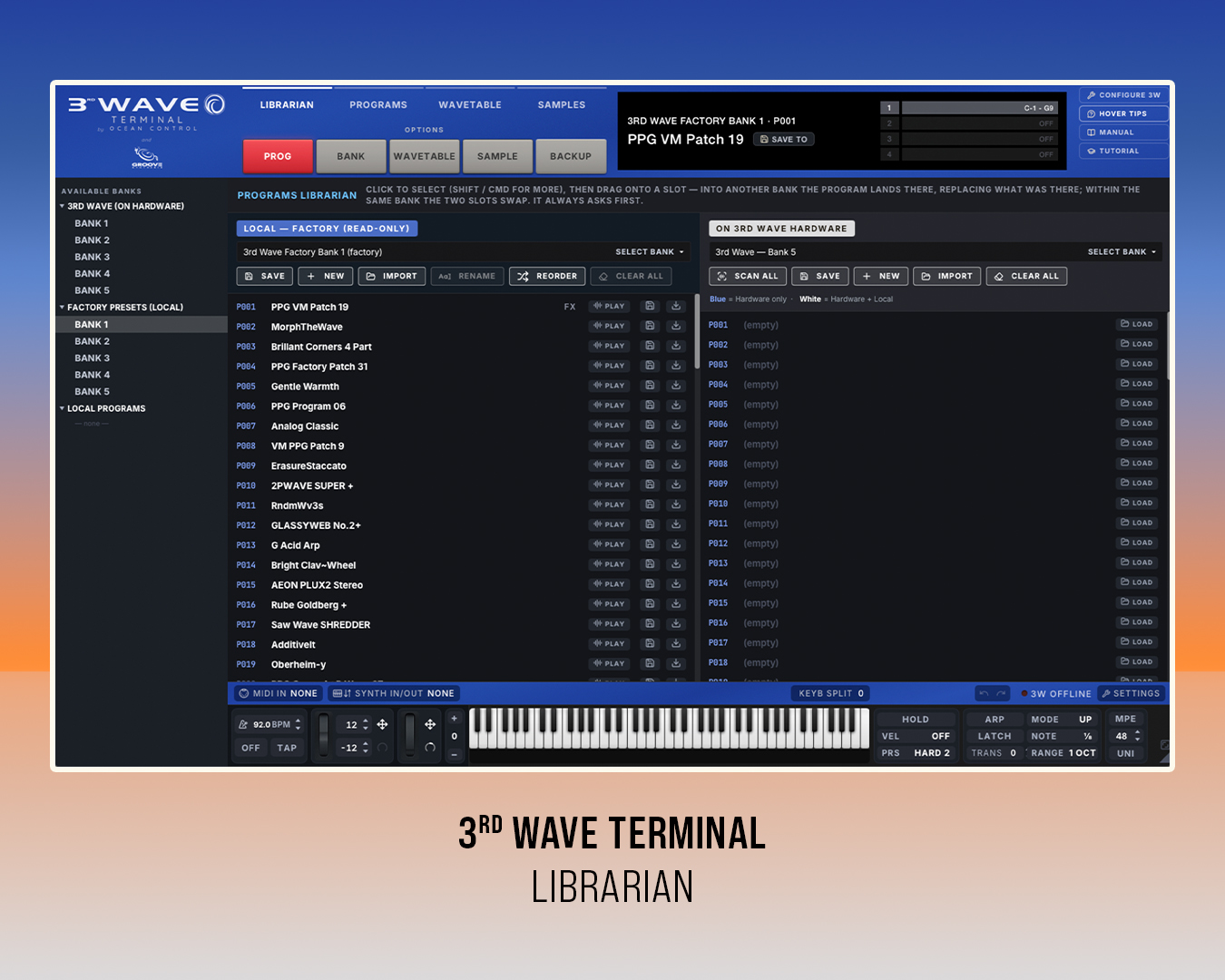
Two side-by-side windows show any bank from the connected 3rd Wave, a local copy of the factory presets, or the owner’s own local banks, including purchased program libraries and the 3rd Wave sample libraries. Moving a program onto the synth or swapping two slots is a simple drag and drop, and every change stays on the 3rd Wave after the computer is disconnected. A rescan keeps local libraries and hardware in sync, and the read-only factory bank keeps the original presets one drag away.
Programs can be previewed in real time without first saving them to the instrument, and show sets can be prepared offline, away from the hardware synth.
Program Editor
Edit your patches in new ways.
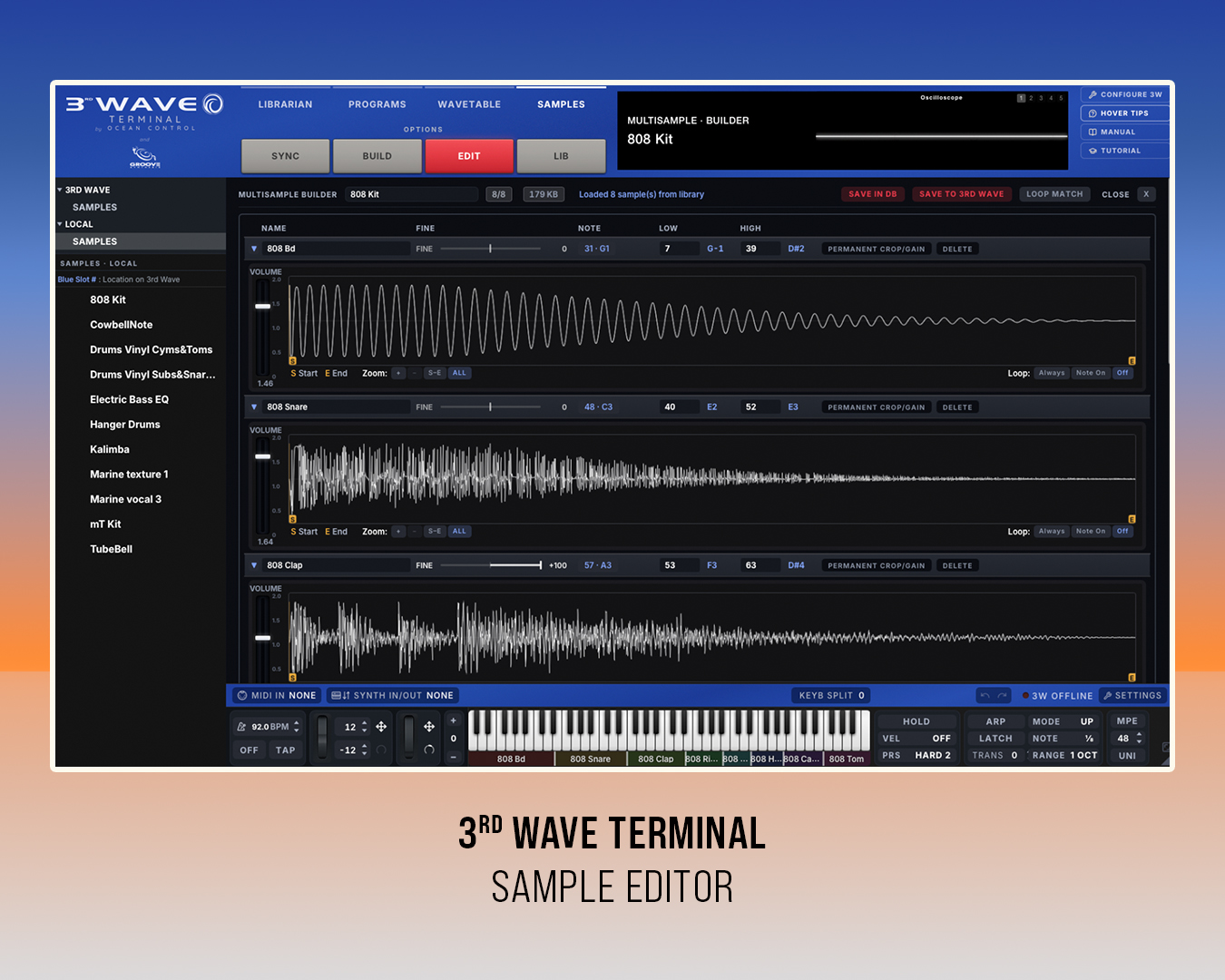
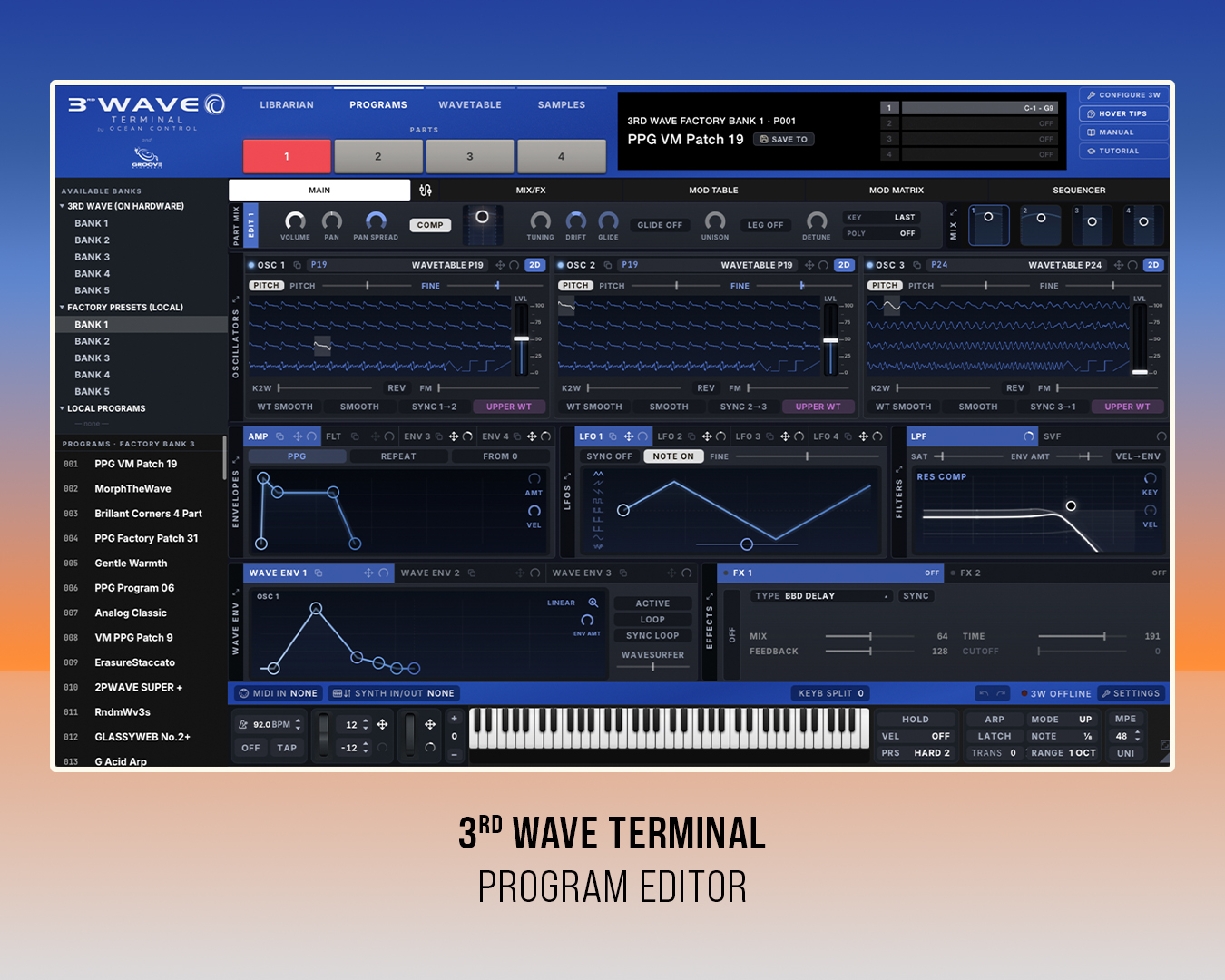
The Program editor mirrors the instrument’s own controls and lets each section expand to show all controls in that section at once: all three oscillators, all four LFOs, every envelope, and all three wave envelopes, including how each one scans through its wavetable. Each oscillator browses factory wavetables, user wavetables, analog waveforms, and samples directly, with its modulation shown alongside. Effect parameters normally reached through the Extras button, such as Shimmer Reverb’s bloom speed, damping, pre-delay, and feedback, appear right in the effect panel.
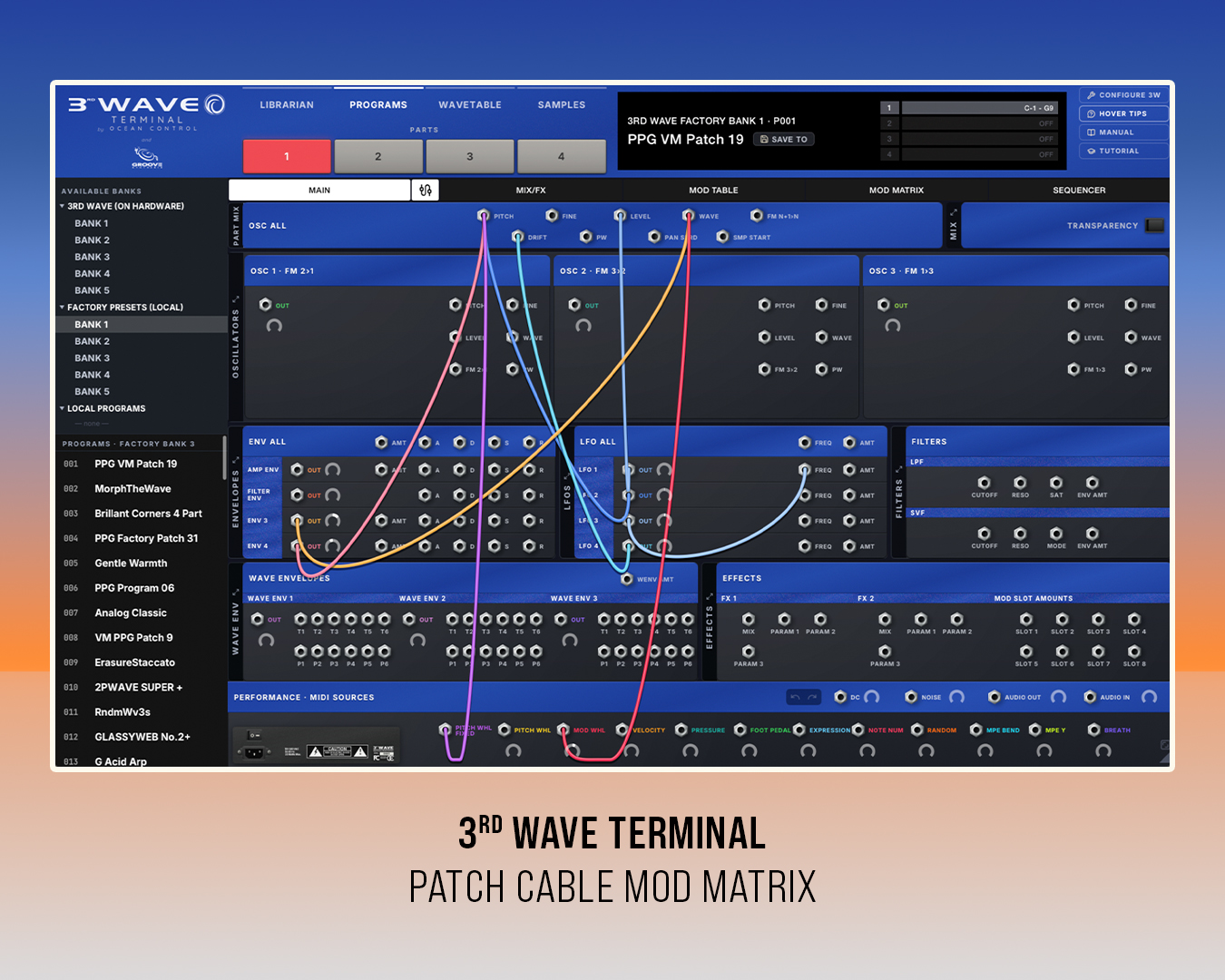
Modulation can be shown and routed three different ways: first, a Mod Table that follows the hardware’s source, destination, and amount layout; second, a Mod Matrix grid with sources on rows and destinations on columns; and third, a visual patching view where you route signals by dragging virtual cables.
How it was created
3rd Wave Terminal began as Pedro Macedo Camacho’s own project, built out of a personal need for a faster, more integrated way to work with the 3rd Wave alongside his composition workflow.
Pedro, the lead composer on Star Citizen and a contributor to scores including World of Warcraft: Shadowlands and Call of Duty: Black Ops 6 and 7, had already used the 3rd Wave extensively in his own work before Groove Synthesis co-founder Bob Coover and the team saw what he was building and offered their support.
CLOSE COLLABORATION
What followed was a collaborative effort that allowed Pedro’s app to extend the 3rd Wave’s abilities. Andrew and Bob added to the 3rd Wave’s MIDI and sysex communication layer to allow the Terminal app to offer the functionality it has today. Also, feedback from a small group of beta testers helped shape the app ahead of release. At the same time, Pedro and Bob worked tirelessly throughout the summer to update and shape the code, as well as respond to incoming feature requests.
Availability
The 3rd Wave Terminal desktop app is available now at no cost for registered 3rd Wave owners via the Groove Synthesis website. It is available for macOS and Windows and requires a 3rd Wave 24K, 24M, or 8M hardware synth running OS 2.0d or later, connected via USB. To sign up and download the software, go to our support page and browse to the “Software Tools” section.